
Processes and automation
How do you connect an online store to stock and invoicing?
How to connect an online store to stock, invoicing and couriers. The Romscent example: processing an order went from about an hour to 4 minutes.
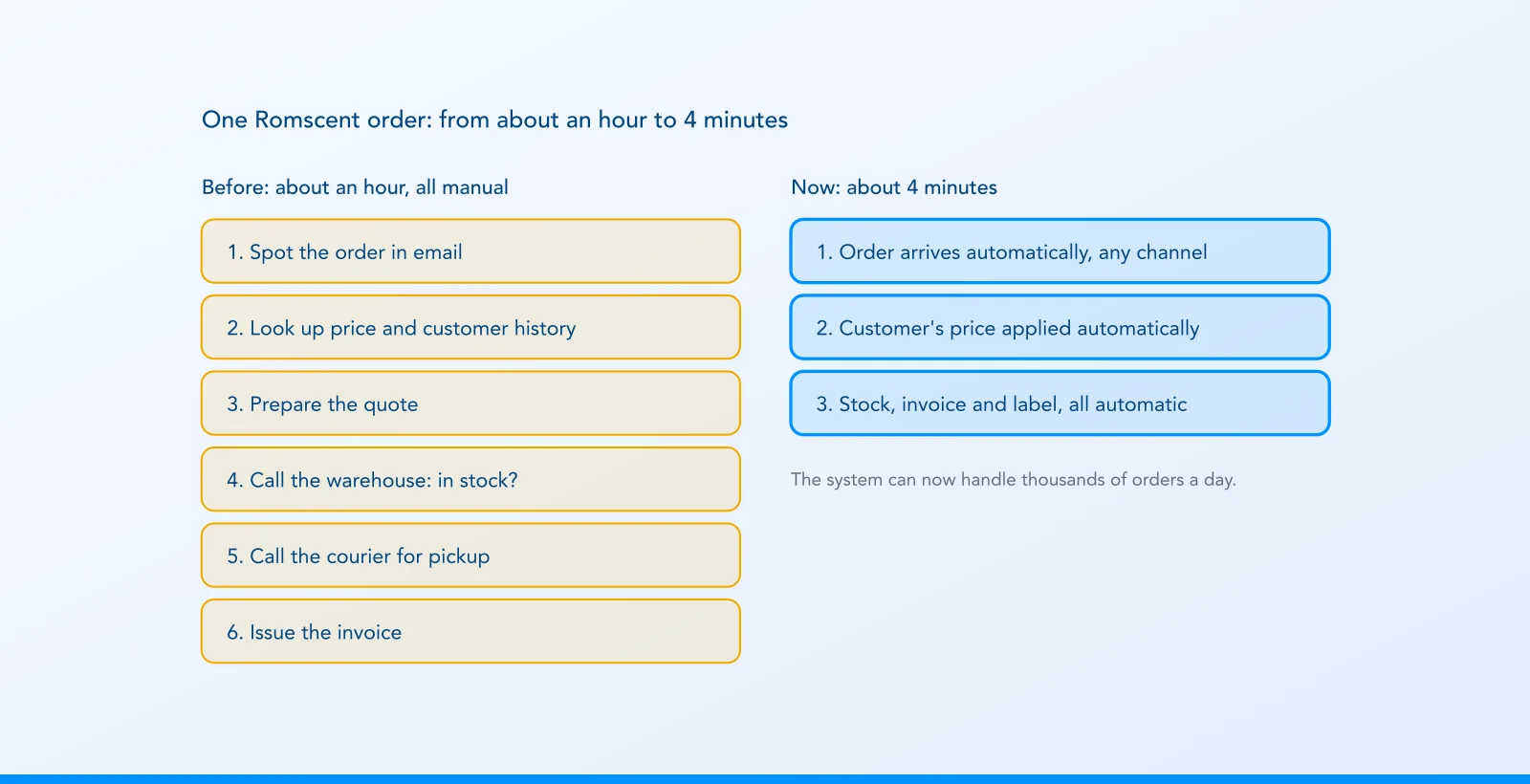
In short: you connect an online store to stock and invoicing through a central system that receives every order automatically, checks the stock, applies the right price for that customer, issues the invoice in the invoicing software and creates the shipping label with the courier. The order only passes through someone's hands where a decision is needed.
At Romscent, a European distributor of perfumes and cosmetics with more than 1,100 B2B customers in 42 countries, processing an order went from about an hour to 4 minutes. The system built by AITEH can now handle thousands of orders a day.
What needs to connect to what?
An online store connected to stock and invoicing has a single centre: the system that receives orders from every channel and passes the data on to stock, invoicing and couriers. At Romscent, this system is connected to the invoicing software, the couriers, the brands' online stores, the eMAG marketplace and other resellers' stores.
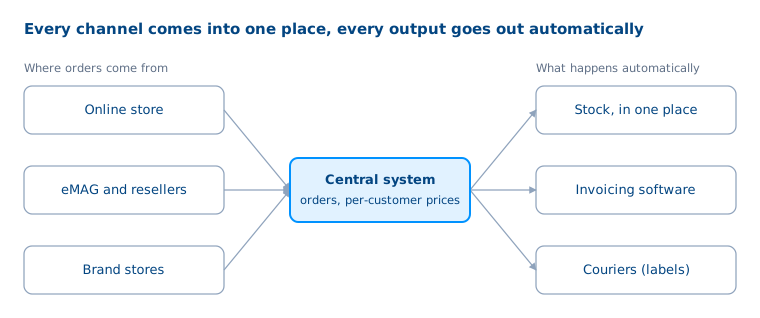
The rule that matters most: stock lives in one place. Every channel reads from there and writes there.
What changed at Romscent?
Before, every order went through six manual steps. Someone spotted the order in their email, looked up the right price and what the customer had ordered before, prepared the quote, called the warehouse to find out whether the product was in stock, called the courier and only then issued the invoice. It took about an hour.
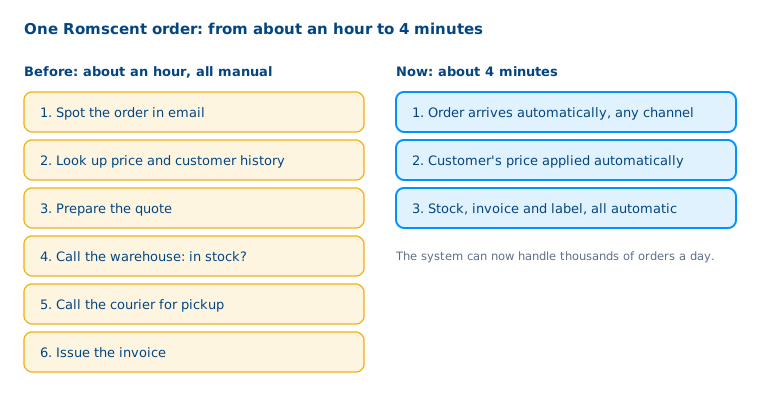
Now the system built by AITEH does the same steps on its own, in about 4 minutes per order. For a company working with more than 1,100 B2B customers, every order means almost an hour of work saved.
How do you go about it, step by step?
- Write down how you process an order today. Every step, who does it and how long it takes. At Romscent, this list showed where the hour went.
- Choose the one place that holds the truth about stock. A single place. If stock is kept in the store, in Excel and in someone's head at the warehouse, the automation will get it wrong.
- Connect invoicing. The invoicing software receives the order data and issues the invoice automatically. In Romania, most of our clients use SmartBill or Oblio.
- Connect the couriers. The shipping label (AWB) is created from the order, without a phone call.
- Add the other sales channels. Marketplaces, partner stores, the B2B portal. They all draw from the same stock.
- Leave people only the exceptions. A specially negotiated price, a new customer, an unusual order.
The most common mistake: master data entered incompletely or wrongly (product codes, customers' billing details, VAT rates). Automation only repeats what it receives, faster.
Frequently asked questions
Can I connect a WooCommerce or Shopify store to my invoicing software?
Usually yes. Most invoicing tools have integrations and an API (in Romania, SmartBill and Oblio both do), and for more complex flows (per-customer prices, several warehouses, several channels) a custom connection is built.
What happens to stock when I also sell on a marketplace?
If every channel draws from the same central stock, each sale lowers the stock everywhere. Otherwise you risk selling the same product twice.
How much time will I save?
It depends on how many manual steps you have today. At Romscent, an order went from about an hour to 4 minutes.
Do I have to change my online store to automate?
Most of the time, no. The existing store is connected to stock, invoicing and couriers.
What do I need to have ready?
Unified product codes, correct billing details for your customers, and access to your invoicing and courier accounts.